

When you start searching for cheap poster printing uk, it's easy to get lost in a sea of options. But here’s a little secret from years in the business: the real savings happen long before you hit the 'order' button. The best deals aren't about finding the lowest price tag at the last minute. They’re about making smart, foundational choices on size, material, and quantity that slash costs right from the start.
Smart Planning for Affordable Poster Printing
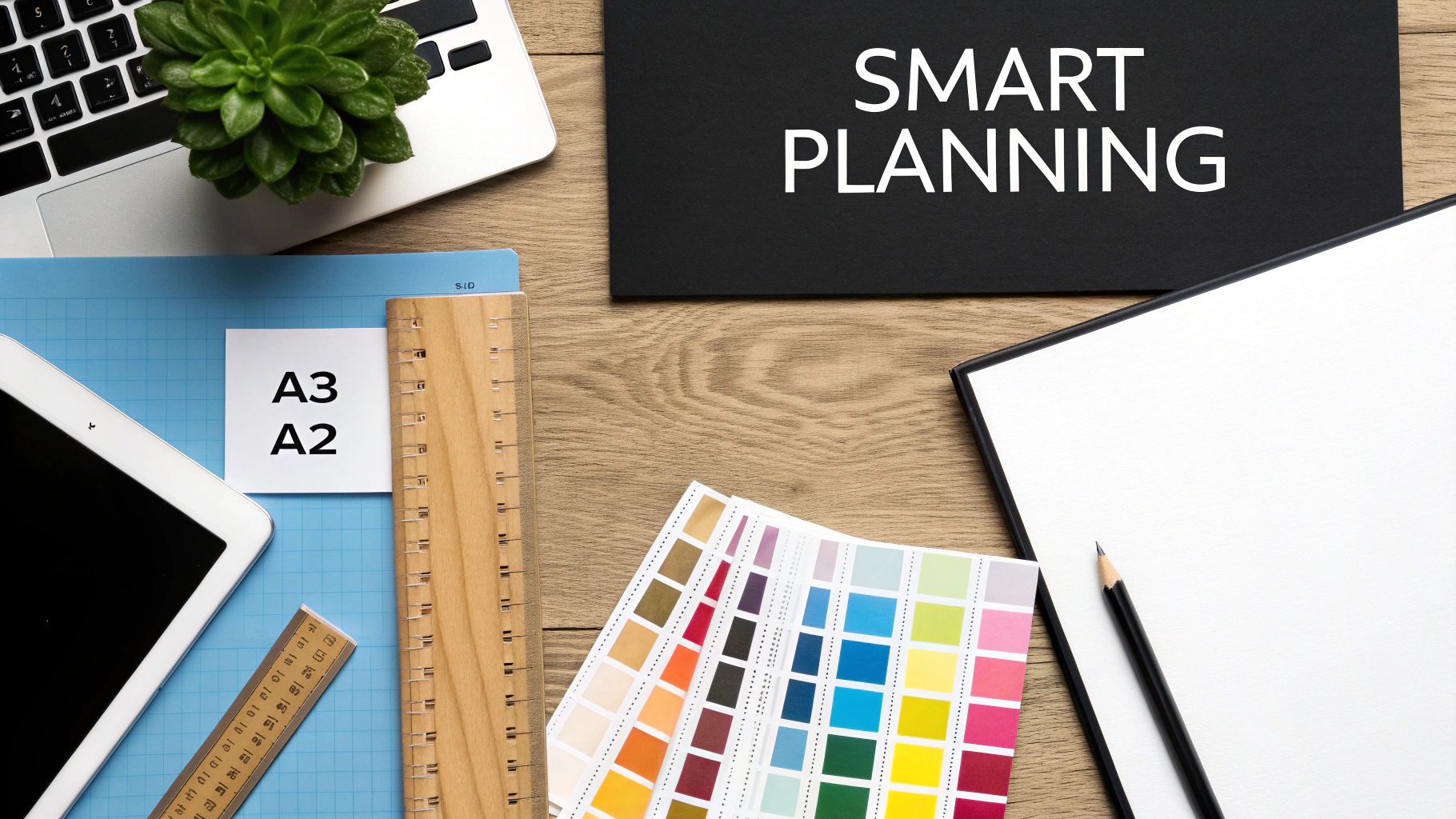
The road to genuinely affordable poster printing begins way before you even think about uploading your artwork. Any strategic decisions you make during the planning stage will have a much bigger impact on your final bill than chasing down a last-minute discount code. By getting the fundamentals right—like size and paper stock—you can build cost-effectiveness directly into your project.
Think about it like building a house. You wouldn't order expensive, custom-sized bricks if the standard ones would do the job perfectly well. The exact same logic applies here.
Choosing Standard Sizes for Maximum Value
The single fastest way to get your costs under control is to stick with standard UK paper sizes. Printers work with massive 'parent sheets' of paper, and standard dimensions like A1, A2, and A3 are specifically designed to fit onto these sheets with almost zero waste.
When you ask for a custom size, even if it's only a few centimetres off, you force the printer to use a bigger sheet and trim away the excess. And guess who pays for that wasted paper? You do. For most promotional needs, a standard size is more than effective and a whole lot cheaper.
Selecting the Right Paper Weight and Finish
Paper is the other big-ticket item on your invoice. While a super-thick, heavy paper stock feels lovely and premium, it's often total overkill for short-term indoor promotions. For most small businesses and events, a 170gsm silk or gloss paper is the perfect sweet spot.
Pro Tip: "Gsm" stands for Grams per Square Metre. The higher the number, the thicker and heavier the paper. A 170gsm stock has a professional feel and is durable enough for indoor use, but without the premium price tag of a 250gsm or 300gsm paper.
This weight is solid enough to hang nicely and makes colours look vibrant, but it remains one of the most budget-friendly options out there. A silk finish gives you a smooth, low-sheen look that cuts down on glare, while gloss makes bright colours really pop. Both are fantastic, cost-effective choices for indoor posters. If you want to dig deeper into your options, exploring different resources on https://bannerprintingltd.co.uk/tag/where-to-get-a-poster-printed/ can give you a better idea of what different suppliers offer.
To keep your project firmly on budget and get the most out of every pound, try using an effective event budget template. It's a great way to track every expense and stop costs from creeping up. By thoughtfully planning these core elements, you're setting yourself up for a successful and affordable print run from the get-go.
Preparing Print-Ready Files to Avoid Extra Costs
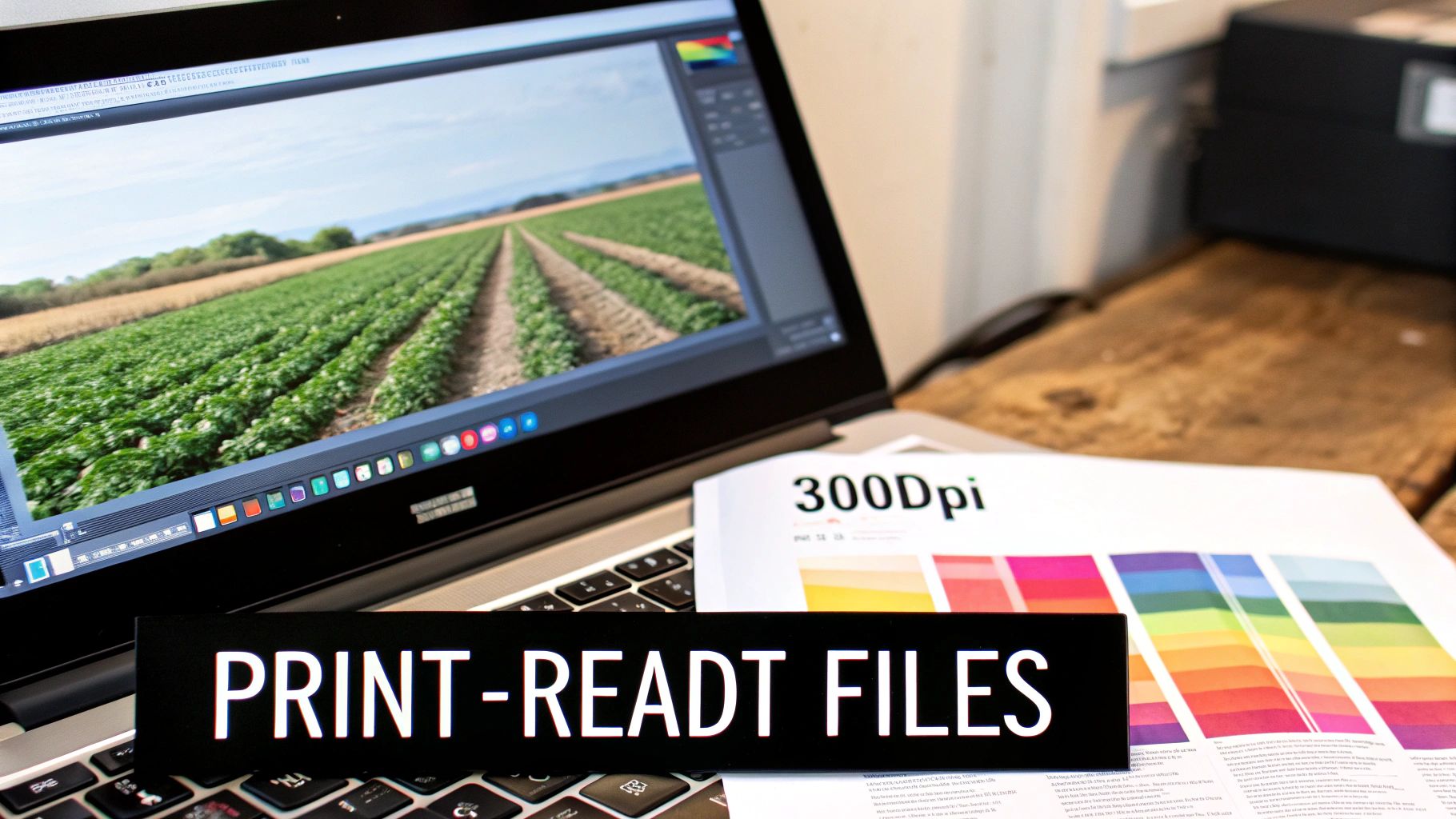
Nothing blows a printing budget faster than sending a file that isn't quite ready for the press. In the industry, we call these ‘artwork problems,’ and fixing them takes up our time—time you ultimately pay for.
The good news is that dodging these common (and costly) mistakes is simple once you know the basics. Getting a few technical details right from the start is your best defence against surprise charges. It means a smoother process, no frustrating back-and-forth emails, and your posters getting printed on time. The aim is to deliver a file we can send straight to print, which is the secret to genuinely cheap poster printing in the UK.
CMYK Is the Golden Rule for Colour
Your computer monitor, phone, and digital camera all use the RGB (Red, Green, Blue) colour model. This works by mixing light to create the vibrant colours you see on screen. Commercial printing, however, is a totally different ball game.
Printers use the CMYK (Cyan, Magenta, Yellow, Black) model, which layers ink onto paper to create colours. If you send us a file saved in RGB, our software has to convert it to CMYK. This automated switch can cause unexpected colour shifts, often leaving vibrant reds looking a bit muddy or deep blues appearing purplish.
To sidestep this common pitfall, always set your design software’s colour mode to CMYK right at the beginning of your project. This simple step ensures the colours you see on your screen are a much more accurate reflection of the final printed poster.
Key Takeaway: Designing in CMYK isn't just a suggestion; it's essential for accurate colour. An RGB file might look perfect on your screen but will likely disappoint when printed, potentially forcing you into a costly reprint.
Why 300dpi Resolution Matters
Resolution, measured in DPI (Dots Per Inch), dictates how sharp and clear your printed image will be. For images online, 72dpi is perfectly fine. For print, though, 300dpi is the absolute minimum standard.
If you send a file with a lower resolution—say, an image you grabbed from a website—the result will be a blurry, pixelated mess. It’s like trying to stretch a passport photo to fit an A2 poster; the quality just falls apart. Always make sure every element in your design is 300dpi at its final print size. For a deeper dive on how size affects your setup, check out our guide to understanding poster printing sizes.
Bleed and Crop Marks Explained
Have you ever received a print with a thin, unprofessional-looking white sliver along the edge? That’s almost always because the artwork file didn't include a bleed.
A bleed is simply an extra bit of your background image or colour—usually 3mm on all sides—that extends past the final trim line of your poster. No cutting machine is perfect down to the micrometre, and slight shifts can happen. That extra 3mm of design ensures that even if the trim is a fraction off, you won't get that ugly white border.
And what about crop marks? These are just tiny lines in the corners of the file that tell the printer exactly where to make the cut. Including both bleed and crop marks is a professional standard that guarantees a clean, edge-to-edge finish every time.
Mastering Your Order to Maximise Savings
Getting your artwork right is only half the battle. How you actually place your order can make or break your budget, turning a standard print job into a seriously savvy investment. It all comes down to understanding a few industry secrets about how printers work and using that knowledge to your advantage.
The first big decision you’ll make is about quantity. This single choice has a knock-on effect on everything, especially the printing technology used, which directly sets your cost per poster. In the UK, it’s a tale of two methods: digital and lithographic (litho) printing.
Digital Printing for Short Runs and Speed
Think of digital printing as the agile sprinter of the print world. It's perfect for smaller, time-sensitive jobs. Because it prints straight from a digital file—much like a very sophisticated office printer—there are no physical printing plates to create. That means the setup cost is virtually zero.
This method is your best bet for:
- Small quantities: Ideal for anything from a single poster up to around 250.
- Urgent deadlines: The process is incredibly quick, making next-day delivery a real possibility.
- Variable data: If you need 50 posters, each with a unique code or name, digital is the only way to do it cost-effectively.
Digital printing has become the backbone of affordable poster production in the UK, with the industry's revenue projected to hit £1.4 billion by 2025. This growth is fuelled by its ability to offer on-demand printing without the high setup fees of traditional methods. If you want to dig deeper, you can explore the latest UK digital printing industry insights to see where the sector is heading.
Litho Printing for Bulk Order Savings
Lithographic printing, on the other hand, is the marathon runner. This is the traditional, industrial-scale method that involves creating custom metal plates of your design. These plates are then used to transfer ink onto paper on a massive printing press.
The setup is complex and carries a significant initial cost. But once those presses are running, the price per poster drops dramatically. Litho is the undisputed champion for cheap poster printing in the UK when you need serious volume. If your campaign calls for 1000+ posters, the unit price will be miles cheaper than digital. The trade-off? A longer lead time and that hefty upfront cost, which makes it totally unsuitable for small jobs.
The Tipping Point: As a general rule of thumb, litho printing starts to make financial sense once you hit the 500-poster mark. Anything less, and the setup costs will almost certainly mean digital is the more affordable choice.
Choosing between these two methods is one of the most critical decisions for your budget. Here’s a quick breakdown to help you decide.
Digital vs Litho Printing for UK Posters
| Feature | Digital Printing | Litho Printing |
|---|---|---|
| Best For | Small to medium runs (1-500 posters) | Large bulk orders (500+ posters) |
| Setup Cost | Very low to none | High (due to plate creation) |
| Cost Per Unit | Higher on large runs | Extremely low on large runs |
| Turnaround | Fast (often 24-48 hours) | Slower (3-7 working days) |
| Quality | Excellent, consistent quality | Exceptional, with precise colour matching |
| Flexibility | Easy to print variable data | Not possible (all prints are identical) |
Ultimately, for small businesses, events, or test runs, digital is your go-to. For large-scale marketing blitzes where you need thousands of identical posters, litho will give you unbeatable value.
Your Timeline Is a Powerful Savings Tool
Finally, here’s one of the easiest ways to slash your printing costs: just plan ahead.
Nearly every printer in the UK offers different turnaround speeds, from a premium 24-hour express service down to a standard 5-7 day economy option. That express service costs a lot more because your job has to jump the queue, forcing the printer to reschedule their entire production line.
By simply choosing a standard turnaround, you give the printer the flexibility to slot your job in efficiently. They appreciate this, and they pass those operational savings on to you. A little patience—often just a week—can easily cut your final bill by 20-30%. For any small business or event organiser, that's a huge win.
Choosing Finishes That Add Value, Not Cost
The final finish is what takes a poster from a simple print to something that feels genuinely premium. It’s a small detail that can completely change the look and feel of your design. While some fancy finishes can certainly bump up the price, a few smart choices can add serious value and durability without breaking the bank.
This is where getting to grips with laminations and coatings really pays off. They aren’t just for looks; they protect your investment and can make your design pop. Choosing the right one is a huge part of getting cheap poster printing in the UK that doesn’t actually look cheap.
Before you even think about finishes, though, your order size will likely decide the printing method, which is a big factor in the overall cost.
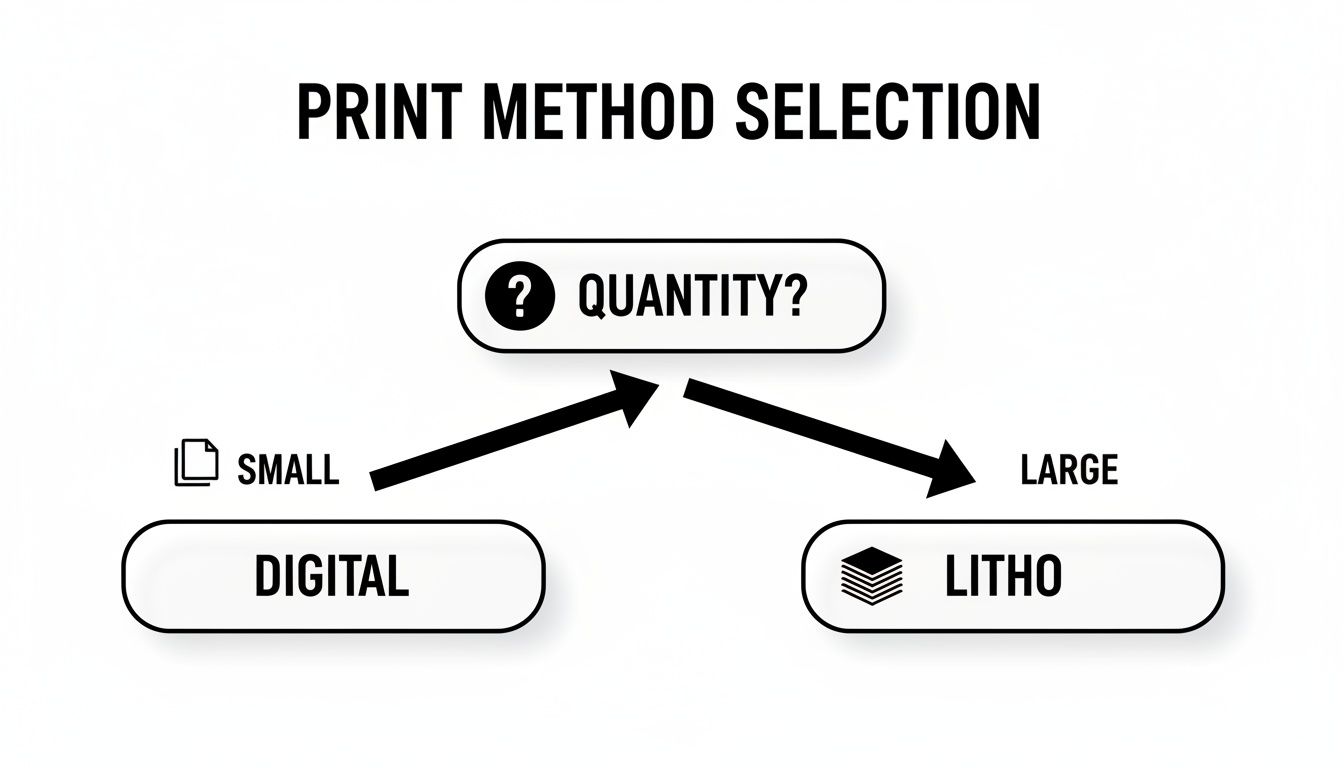
As you can see, the quantity you need is the first domino. It dictates the best print technology, which in turn affects your costs and the finishing options available.
Gloss vs. Matt: A Strategic Choice
The two most common and budget-friendly finishes are gloss and matt. One isn't better than the other; it all comes down to your poster’s design and where it’s going to live.
A gloss finish is your go-to for grabbing attention. It gives you a high-shine surface that makes colours look deeper and more vibrant. This is perfect for posters with big, bold photos or for colourful event promotions that need to stand out from a distance in a crowded space.
On the other hand, a matt finish provides a non-reflective, almost soft look that feels a bit more sophisticated. It’s ideal for posters heavy on text or those with a more artistic, muted colour scheme. Best of all, it kills glare from lights, making your poster easy to read from any angle.
Lamination: The Smart Investment
Lamination simply means applying a thin plastic film over your printed poster. It adds a small amount to the upfront cost, but believe me, it’s often a brilliant long-term investment.
A simple laminate can easily double or triple the lifespan of an indoor poster. It protects against scuffs, spills, and fading from sunlight, meaning you’re not forking out for reprints down the line. That makes it an incredibly cost-effective move for posters that will be handled a lot or displayed for more than a few weeks.
The UK's custom printing market is growing fast—it’s projected to jump from USD 1,989.2 million in 2023 to a massive USD 4,243.6 million by 2030. Digital printing, the fastest-growing part of the sector, is bringing costs down and making value-added extras like lamination more affordable for everyone. You can dig into these custom printing market trends yourself.
Ultimately, choosing a simple protective finish is a small, smart upgrade that delivers a big impact, ensuring your affordable posters look professional and last as long as you need them to.
Navigating UK Delivery Without Hidden Fees
You've done the hard work of getting a great price on your posters, but all those savings can vanish in an instant at checkout. Don't get caught out by shipping costs. Getting your posters delivered on time and on budget is the final, crucial step, and it's where sneaky hidden fees often appear.
So many online printers lure you in with rock-bottom prices, only to slap a hefty delivery charge on at the very end. Before you even think about adding to your basket, look for a clear, upfront statement like 'free UK delivery' on their homepage or product pages. If you can't see it, assume it’s an extra cost and build that into your price comparison. Honestly, this one simple check can be the difference between a bargain and a budget-breaker.
Packaging and Venue Logistics
It’s not just about the cost, but how your posters arrive. Good packaging isn't just a nice-to-have; it's essential for protecting your investment. Any printer worth their salt will use durable materials to make sure your prints get to you in mint condition.
Here's what you should expect for different sizes:
- Small posters (A4/A3): These should always be sent flat in rigid, hard-backed envelopes to stop any creases.
- Large posters (A2 and bigger): Insist on them being carefully rolled and shipped in tough cardboard tubes. Folds and damage are not an option.
For anyone organising an event, this is a big one: check if the printer can deliver straight to your venue on a specific day. Getting this sorted saves you the headache of lugging boxes of posters around yourself and lets you focus on running the show.
Physical marketing is still a massive deal in the UK. The commercial printing market was valued at USD 18.6 Billion in 2024 and is expected to climb to USD 24.6 Billion by 2035. As this market grows, getting the delivery right becomes even more critical. You can read more about the UK commercial printing market outlook if you're interested in the trends.
Nailing the delivery is a skill, and the same principles apply to other printed materials, too. For a deeper dive into logistics, have a look at our complete guide to ordering banners in the UK, which tackles many of the same challenges.
Your Go-To Checklist for Poster Printing Success
Alright, let's pull all this advice into a final, simple checklist. Think of it as your pre-flight check before you hit ‘buy’ – it’s the best way to make sure you’re getting real value from any UK poster printing service. A quick run-through of these points will help you dodge the most common mistakes and pick a printer you can trust.
Artwork and File Specifications
Before you even think about uploading your design, give that file one last look. This is probably the single most important step for avoiding delays or, worse, extra fees for file corrections. Getting this right is the secret to genuinely cheap poster printing uk.
- Colour Mode Confirmed: Is your file definitely saved in CMYK colour mode, not RGB? This is non-negotiable if you want the colours on your screen to match the final printed poster.
- Resolution Check: Double-check that every image and logo is at least 300dpi at the size it will be printed. Anything less and you risk that fuzzy, pixelated look that screams amateur.
- Bleed and Margins Set: Have you added a 3mm bleed around every edge of your artwork? That tiny bit of extra background is crucial for preventing ugly white slivers after the posters are trimmed to size.
Vetting Your Printing Partner
Look, not all printers are the same. A bargain-basement price is tempting, but it means nothing if the quality is poor or the delivery is late. A few minutes of research now can save you a massive headache later.
Before you commit, take five minutes to read recent customer reviews on a site you trust, like Trustpilot or Google. Don't just look at the star rating; see what people are saying about print quality, delivery times, and especially how the company sorted out any problems.
Final Order and Cost Checks
You’re on the home stretch. These last few checks will lock in your savings and make sure there are no nasty surprises waiting for you at the checkout.
- Compare Like-for-Like Quotes: Have you actually compared quotes from at least two different printers for the exact same job? That means the same size, paper, quantity, and finish.
- Confirm Delivery Costs: Is UK delivery genuinely free, or is there a sneaky shipping fee that only appears at the very last step? Always check.
- Select Standard Turnaround: Unless you’re in a real jam, have you chosen the standard delivery option? Paying extra for express service is a waste of money if you’ve planned ahead. It's one of the easiest ways to keep your costs down.
Your Poster Printing Questions, Answered
When you're trying to get the best value for your money, a few questions always pop up. We get it. To help you order with total confidence, here are the straightforward answers to the questions we hear most often about getting quality poster printing without breaking the bank.
These are the practical, no-nonsense tips that will save you a bit of time and cash on your next print run.
What’s the Best Paper for Posters on a Budget?
For almost any indoor poster, a 170gsm silk or gloss paper is your best bet. It hits that sweet spot between quality and cost. This paper has a solid, professional feel to it, but it’s much kinder on your wallet than the really thick, heavy card stocks.
A silk finish gives you a lovely, smooth surface with a low sheen that cuts down on glare, which is great for readability. Gloss, on the other hand, makes colours pop and gives your design some extra punch.
Of course, if your posters are going to live outdoors and face the British weather, you’ll need something tougher like a blue-back or waterproof PVC material. They cost more, but they’re built to last.
Expert Tip: Don't pay for what you don't need. Match your paper to where the poster will actually be used. Choosing a premium, heavy-duty stock for a one-week indoor promo is a classic way to overspend.
How Can I Get My Printing Costs Down Without Making My Posters Look Cheap?
Honestly, the easiest savings are made before you even think about the design. Just by planning ahead and choosing a standard delivery service over an express one, you can cut costs instantly. Bumping up your order quantity a little can also dramatically lower the price per poster—that’s economies of scale working for you.
Beyond logistics, getting your artwork 100% print-ready is a massive help. Make sure your file is formatted in CMYK, is set to 300dpi, and has that crucial 3mm bleed. This stops any back-and-forth and prevents the printer from having to charge you for fixing your files.
Is It Cheaper to Print Posters Online or at a Local Shop?
For most standard jobs, online printers usually come out cheaper. Their whole process is automated, and they handle huge volumes of orders, which keeps their running costs down. They pass those savings directly on to you. This is especially true for things like a simple run of A2 posters on 170gsm paper.
That said, don't write off your local print shop! They can be surprisingly competitive, particularly if you have a custom or tricky request. You also get hands-on advice and the chance to physically see and feel the paper samples. Plus, you save on delivery entirely if you can just pop in and collect them yourself.
The best approach? Get a quick quote from both and see who gives you the better deal for your specific project.
For fast, affordable, and high-quality poster printing with transparent pricing and free UK delivery, trust Banner Printing Ltd to bring your designs to life. Explore our poster printing options and get an instant quote today!


