

When it comes to printing, the most common poster sizes you'll see in the UK are based on the international 'A' series. Getting your head around A1, A2, and A3 is the first step, as they’re the go-to choices for almost all marketing and event materials. Nailing the right dimensions from the very beginning is crucial if you want a professional finish.
Your Quick Reference for Standard Poster Sizes
Diving into the world of print can feel a bit overwhelming, but poster dimensions are actually quite straightforward. For pretty much any business in the UK, the standardised ISO 'A' series is your best friend. It’s like a universal language for designers and printers alike—ask for an 'A1' print, and everyone knows the exact dimensions. It cuts out the guesswork and prevents expensive mistakes.
The whole system is brilliantly logical. An A1 poster is exactly half the size of an A0, an A2 is half of an A1, and the pattern continues. This makes it incredibly easy to scale your artwork up or down for different uses, whether you're planning a big campaign or just need a few different-sized prints. You might also come across the 'B' series, which offers some handy in-between sizes for when the standard 'A' dimensions aren't quite right.
While we're on the topic of standardisation, it's interesting to see how these principles apply elsewhere in advertising. If you're curious, you can check out this guide on standard banner ad sizes to see how it works in the digital world.
Common UK Poster Sizes At a Glance
We’ve put together this simple table for busy professionals who need answers fast. It breaks down the most popular poster sizes, their dimensions, and what they’re typically used for, so you can make a quick, confident decision.
| Size | Dimensions (mm) | Dimensions (inches) | Common Applications |
|---|---|---|---|
| A0 | 841 x 1189 mm | 33.1 x 46.8 in | Large-scale advertising, outdoor hoardings, academic presentations. |
| A1 | 594 x 841 mm | 23.4 x 33.1 in | Shop windows, event promotions, trade show displays. |
| A2 | 420 x 594 mm | 16.5 x 23.4 in | In-store advertisements, smaller event notices, art prints. |
| A3 | 297 x 420 mm | 11.7 x 16.5 in | Informational notices, small flyers, point-of-sale displays. |
This at-a-glance guide should give you a solid starting point for choosing the perfect size for your next project, ensuring your message gets seen exactly how you intended.
A Detailed Breakdown of ISO A-Series Poster Sizes
In the UK and Europe, the International Organisation for Standardisation (ISO) 216 'A' series is the undisputed king of paper and poster sizes. Its brilliance lies in its simplicity: each size is precisely half the area of the one before it. This clever, consistent ratio is a lifesaver for designers and printers, as it means artwork can be scaled up or down perfectly without any awkward cropping or distortion.
Getting your head around this system is the first step to successful poster sizes printing. When you choose an A-series size, you’re working with a global standard. It guarantees what you see on screen is what you get in print. Let’s dive into the most common sizes you’ll encounter for promotional materials.
This diagram gives you a quick visual on how the bigger A-series posters stack up against each other and where you'll typically see them used.
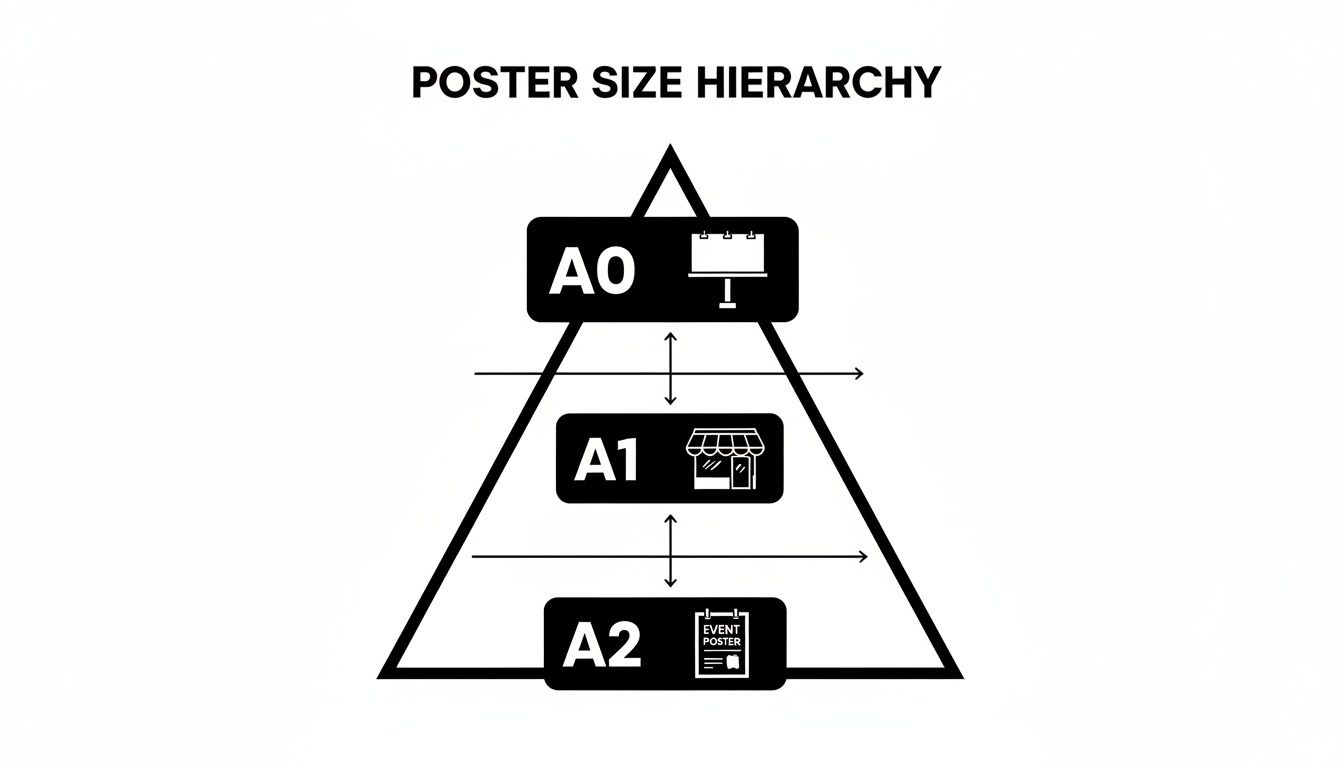
As you can see, every step down in size—from A0 to A2—halves the poster's area. This makes the whole system incredibly predictable when you need to resize your designs.
A0: The Largest Standard Size
As the heavyweight champion of the A-series, A0 posters (841 x 1189 mm or 33.1 x 46.8 inches) are all about making a massive impact from a distance. Their sheer scale makes them the default choice for outdoor advertising hoardings, huge trade show graphics, and sprawling academic conference presentations. An A0 poster simply cannot be ignored.
A1: The Versatile Favourite
The A1 poster (594 x 841 mm or 23.4 x 33.1 inches) is probably the most popular and versatile marketing size you’ll find in the UK. It hits that sweet spot, giving you fantastic visibility without completely dominating the space like an A0.
- Retail Use: Perfect for shop window displays announcing sales or new stock.
- Events: A classic for entrance posters at gigs, festivals, and conferences.
- Exhibitions: Widely used for eye-catching informational displays at trade show stands.
A2: The All-Purpose Communicator
At half the size of an A1, the A2 poster (420 x 594 mm or 16.5 x 23.4 inches) is a brilliant all-rounder for indoor use. It’s big enough to get noticed in a busy room but compact enough to fit into tighter spaces. You’ll often spot A2 posters used for in-store promotions, on community notice boards, as art prints, and for smaller event announcements where people are viewing them up close.
Expert Tip: The consistent 1:√2 aspect ratio across all A-series sizes is a designer's secret weapon. It means you can resize a design from an A2 all the way up to an A0 (or vice versa), and your composition will stay perfectly balanced. No stretching, no squashing.
A3 and A4: For Targeted Messaging
While they might be smaller, A3 posters (297 x 420 mm) are incredibly effective for point-of-sale notices, directional signs, and detailed info charts that people need to read up close. And of course, the familiar A4 size (210 x 297 mm) is great for handouts, flyers in wall holders, or notices in very small spaces like staff rooms or on reception desks. Choosing the right A-series size is all about making sure your message lands with the right amount of impact.
Understanding Large Format and Custom Poster Dimensions
While the standard ISO A-series posters are great for everyday use, sometimes you need to think bigger. To truly capture attention in busy locations, large format and custom poster printing is the way to go. These sizes are all about maximum visibility, designed to be seen clearly from a distance, making them ideal for outdoor campaigns or large indoor venues.
Many of these larger sizes have their origins in traditional advertising and still use imperial measurements. They were created for specific high-traffic spots like bus shelters, cinema lobbies, and roadside hoardings, where a standard A-series poster just wouldn't have the same punch.
Common Large Format and Imperial Sizes
When you're planning a high-impact campaign, you'll often come across a few industry-standard imperial sizes. Getting to know them opens up a whole new world of advertising opportunities.
- 30 x 40 inches (Quad Poster): This is the classic UK cinema poster size. Its familiar landscape format is instantly recognisable and perfect for promoting new films or major entertainment events.
- 40 x 60 inches: A significant step up in scale, this size is a favourite for high-visibility outdoor advertising. You’ll see it at bus stops and on construction hoardings, where its huge canvas ensures your brand’s message is impossible to miss.
- 6-Sheet Posters (1200 x 1800 mm): Despite the metric measurements, these are the standard for those freestanding advertising units you see on pavements and in transport hubs. They deliver brilliant eye-level impact to pedestrians and commuters.
These larger formats are built to compete for attention in crowded spaces. Their sheer scale ensures your message doesn't just get seen—it gets remembered.
When to Use Custom and Banner Sizes
Of course, sometimes even the standard large formats aren't quite right. Custom dimensions become essential when you need a print to fit a specific, awkward space—think a construction site fence, an exhibition stand, or a stage backdrop. Banners, in particular, are incredibly flexible in both size and material, making them a brilliant choice for temporary or recurring events.
For anyone organising a large-scale event, knowing your options for backdrop materials and dimensions is key to creating a truly professional atmosphere. If you want to dive deeper, you can get more details on designing event backdrop banners in our guide. Choosing a custom size guarantees a perfect, seamless fit and a polished look every single time.
Mastering Essential Print Specifications for Your Poster
Getting the dimensions right is a solid start, but the technical details are what really make or break your final printed poster. Nailing these specs from the get-go is the secret to avoiding common pitfalls like blurry images or off-key colours. Think of this as the professional checklist for flawless poster sizes printing.
Resolution (DPI)
The first thing to get your head around is resolution, measured in Dots Per Inch (DPI). This number dictates the sharpness and clarity of your printed design.
For any poster meant to be viewed up close—like art prints, indoor retail displays, or informational posters—300 DPI is the non-negotiable industry standard. It ensures every detail is crisp and clear. Drop below this, and you risk a pixelated, unprofessional finish.
However, context is everything. For large-format prints viewed from a distance, like event backdrops or construction hoarding banners, you can often get away with a lower resolution. Something around 150 DPI is usually perfectly fine, as the viewing distance makes the individual dots imperceptible.
If you're juggling multiple images for different poster sizes, a good quality bulk image resizer can save you a ton of time without sacrificing quality.
To make things easier, here’s a quick guide on the minimum resolution needed based on typical poster sizes and how far away people will be when they see them.
Recommended Resolution for Poster Sizes
| Poster Size Range | Typical Viewing Distance | Recommended Minimum Resolution (DPI) |
|---|---|---|
| A5, A4, A3 | Up close (less than 1 metre) | 300 DPI |
| A2, A1 | Short distance (1-2 metres) | 150 – 300 DPI |
| A0 and Larger | Far distance (over 2 metres) | 100 – 150 DPI |
Stick to these guidelines, and you’ll ensure your poster looks sharp and professional, no matter its size or where it’s displayed.
Setting Up Your File for Printing
Beyond resolution, a few other file settings are absolutely critical for professional printing.
First up is the colour mode. Your computer screen displays colours using the RGB (Red, Green, Blue) model, which is great for digital work. But professional printing presses use CMYK (Cyan, Magenta, Yellow, Key/Black). You must set up your design file in CMYK right from the start. If you design in RGB and convert it at the end, you'll likely see some disappointing and unexpected colour shifts in your final print.
Next, you need to understand bleed and the safe area. These are crucial for a clean, professional finish.
- Bleed: This is a small extra margin of your background artwork, usually 3-5mm, that extends beyond the final trim line of your poster. It’s a safety net that prevents any ugly unprinted white slivers from appearing if the guillotine is a fraction of a millimetre off during trimming.
- Safe Area: This is the opposite—an inner margin, also around 3-5mm from the trim line. Keep all your important content, like text and logos, inside this zone. This guarantees nothing vital gets accidentally chopped off.
By getting your resolution, colour mode, bleed, and safe area sorted, you’re giving the printer a technically perfect file. If you need a more detailed walkthrough, have a look at our guide on uploading artwork for custom banners.
How to Choose the Right Poster Material and Finish
Picking the right material and finish for your poster is just as vital as getting the dimensions spot on. These choices define the final look, feel, and durability of your print, dictating whether it’s best suited for an indoor gallery wall or ready to face the great British outdoors.
For indoor posters, like those you see in retail displays or as art prints, standard poster paper is a solid, cost-effective choice. A 170gsm silk or gloss paper gives a professional feel and makes colours look brilliant. Silk offers a subtle, low-sheen surface that minimises glare, whereas gloss provides a high-shine, reflective finish that really makes your design pop.
This decision is more important than ever. The UK’s custom printing market is booming, expected to jump from USD 1,989.2 million in 2023 to USD 4,243.6 million by 2030. Posters are a huge part of that growth, so choosing the right stock is key for any business looking to make an impact.
Durable Materials for Outdoor Use
When your poster needs to survive whatever the weather throws at it, standard paper just won't do. You need to step up to specialised materials built for toughness.
- Weatherproof Vinyl: This is the industry standard for outdoor banners and long-term signage. It’s fully waterproof, tear-resistant, and perfect for everything from construction site hoardings to festival promotions.
- Wind-Resistant Mesh: If your banner is going on a fence in a windy spot, mesh is the answer. The tiny holes in the material let the wind pass straight through, which stops it from tearing or acting like a sail.
- Eco-Friendly PVC-Free Options: With sustainability being a major focus, PVC-free materials give you a durable, weatherproof alternative that’s much kinder to the environment.
Selecting the Right Finish
A finish is a protective coating applied after printing that enhances both the look and lifespan of your poster. Lamination is the most common process, and it generally comes in two flavours.
Gloss lamination gives a vibrant, high-impact sheen that makes colours seem richer and deeper, though it can catch the light and create glare. On the other hand, matt lamination provides a sophisticated, non-reflective finish that feels premium and does a great job of hiding fingerprints.
Choosing the right material and finish is a crucial step. To ensure you get a professional result every time, it helps to know your options. For more guidance, check out our guide on where to get a poster printed.
Common Mistakes to Avoid in Poster Printing
Getting a perfect print run is often about knowing what *not* to do. Even a tiny oversight can lead to frustrating delays and expensive reprints, but the good news is that most common mistakes are surprisingly easy to avoid with a bit of prep. Getting your head around these pitfalls is the key to getting your **poster sizes printing** spot-on the first time.
One of the most frequent slip-ups we see is designing in the wrong colour mode. Your screen displays colours using RGB (Red, Green, Blue), but professional print machines use CMYK (Cyan, Magenta, Yellow, Black). If you design in RGB and only convert it at the very end, you’re in for a nasty surprise—dull, muddy colours that look nothing like what you saw on screen. Always start your design file in CMYK from the get-go.
Another classic error is forgetting to add bleed. This is a small 3-5 mm margin of your background artwork that extends beyond the final trim line. Without it, you risk seeing unsightly white slivers on the edge of your poster if the cutting blade is even a fraction of a millimetre off.
Image Quality and Scaling Blunders
Using low-resolution images is a surefire way to get a disappointing result. A logo or photo that looks perfectly sharp on your monitor can become a blurry, pixelated mess when blown up to A1 or A0 poster size. For crisp, professional results, make sure every image in your design is at least 150-300 DPI at its final printed dimension.
It's also easy to misjudge the final scale of your text and graphics. A font size that seems perfectly readable on your computer can become tiny and illegible when viewed from a few feet away on a finished poster. A good habit is to regularly zoom out and view your design at something close to its real-world scale to check if everything is still clear and easy to read.
Sidestepping these common mistakes ensures your investment in promotional materials really pays off. A technically sound file is the foundation of a high-impact, professional poster that grabs attention for all the right reasons.
While the wider UK printing market has seen its share of changes, the demand for high-quality promotional materials has never gone away. In fact, promotional printing, including posters, rebounded to £1.232 billion in sales in 2024, proving just how vital it remains for business marketing. You can learn more about the latest trends in the UK printing industry.
Frequently Asked Questions About Poster Printing
Getting your poster printed can throw up a few questions, especially if you want a really professional finish. Here, we tackle some of the most common queries we get about poster sizes printing, giving you clear, straightforward answers to help you get your project over the line with confidence.
What Is the Most Popular Poster Size for UK Events?
For most indoor events, shop window displays, and retail promotions here in the UK, the A1 size (594 x 841 mm) is the clear winner. It’s the perfect all-rounder, big enough to grab attention from a distance but not so large that it overwhelms the space.
Of course, if you’re dealing with a massive venue or need something with serious outdoor impact, stepping up to an A0 is a smart move. On the flip side, an A2 poster is a great, budget-friendly choice for busier spots where people will be viewing it up close.
Can I Print a Poster from a Standard Phone Photo?
It really depends on two things: your phone’s camera quality and how big you want the final poster to be. A photo from a modern smartphone usually has enough resolution to give you a crisp, high-quality print at A4 or even A3 size.
But if you’re thinking of printing something huge like an A1 or A0, the original image from your phone almost certainly won’t be good enough. Trying to blow it up to that size will result in a blurry, pixelated mess that just won’t look professional.
As a rule of thumb, always check the original resolution of your image. You need to aim for at least 150-300 DPI at the final print size to make sure your poster comes out looking sharp and clear.
What Is the Difference Between CMYK and RGB Colour?
Getting your head around this is absolutely vital for making sure the colours on your printed poster match what you see on screen.
- RGB (Red, Green, Blue): This is the colour model used for digital screens. Think of your computer monitor, tablet, or phone—they all create colours by mixing red, green, and blue light.
- CMYK (Cyan, Magenta, Yellow, Key/Black): This is the colour model used in professional printing. It works by subtracting light, using inks to create colours on paper.
Your poster artwork must be designed and saved in the CMYK colour mode. If you supply a file in RGB, the colours will shift during the conversion to CMYK, often looking duller or less vibrant than you expected. Start your design in CMYK from the get-go to ensure a predictable and accurate result.
Ready to bring your vision to life? At Banner Printing Ltd, we specialise in high-quality, large-format printing with a fast, reliable turnaround. https://bannerprintingltd.co.uk


