
When you’re looking for the best printers for vinyl, you’ll quickly find yourself comparing large-format eco-solvent, latex, and UV models. But the "best" machine is a moving target—it really depends on your business goals, balancing things like print volume, how tough the final product needs to be, and what you actually plan to make.
Defining Your Vinyl Printing Needs
Before you even glance at a printer spec sheet, you need to have an honest chat with yourself about what you need the machine to do. This is, without a doubt, the most important step. Get it right, and you save a ton of time and money. Get it wrong, and you risk overspending on features you'll never use or, even worse, buying a printer that can’t handle the jobs that pay your bills.
The UK's printed vinyl market is booming, hitting a massive USD 460.6 million in revenue. This isn't just a flash in the pan; it's driven by the essential role vinyl plays in everything from shop promotions to construction site hoardings. With projections showing the market climbing to USD 639.1 million by 2030, it’s clear the demand for quality vinyl products isn't going anywhere.
Assess Your Core Business Model
Let's start with some practical questions. Are you a small startup hoping to produce a few dozen custom stickers a week? Or are you an established shop scaling up for high-volume banner production? The answer completely changes the kind of printer you should be looking at.
A small business focused on intricate window graphics has entirely different needs from a print shop churning out weatherproof signage that needs to survive a British winter.
A classic mistake is buying a printer for the business you dream of having in five years. Your focus should be on a machine that profitably serves the clients you have now and the ones you plan to win in the next 12-18 months. You can always upgrade as your revenue grows.
To help you get started, we've put together a quick checklist. Work through these questions to build a clear picture of your immediate requirements before you start comparing technology.
Quick Needs Assessment Checklist
| Requirement Area | Key Questions to Ask | Example Scenarios |
|---|---|---|
| Production Volume | How many square metres do you need to print per week/month? | Low: 50-100 custom decals per week. High: 500m of hoarding panels per month. |
| Primary Application | Will your prints be used indoors or outdoors? For short-term or long-term use? | Indoors: Wall graphics, POS displays. Outdoors: Vehicle wraps, shop signage. |
| Material Compatibility | What specific types of vinyl or substrates will you print on most often? | Standard gloss/matte vinyl, clear vinyl, speciality films, rigid boards. |
| Quality vs. Speed | Do your clients demand photorealistic quality, or is fast turnaround the priority? | Quality: Fine art prints, high-end retail displays. Speed: Event banners, site signage. |
Thinking through these points gives you a solid foundation, ensuring you're not just buying a printer but investing in the right tool for the job.
Pinpoint Your Primary Products
Now, let's get specific. What will be your bread-and-butter work?
- Outdoor Durability: Are you planning to create vehicle wraps, site hoarding panels, or long-term outdoor banners that have to withstand UK weather? This immediately points you towards printers using rugged inks like eco-solvent or UV.
- Indoor Applications: If you’re more focused on indoor wall art, retail point-of-sale displays, or exhibition graphics, things like odour and air quality become a major concern. This is where latex printers often shine.
- Speciality Items: Thinking about offering something more niche? Specialised jobs can be highly profitable. For instance, creating durable tamper-evident seals can open up a lucrative market in security applications. If you're drawn to smaller, high-margin products, our guide on how to start a window decals business offers a founder's perspective on building a successful niche from the ground up.
By creating a clear brief covering your expected volume, main applications, and quality standards, you’ll have a focused checklist ready. This simple exercise will steer your entire search for the right printers for vinyl, making sure your investment is a smart one that directly fuels your success.
Navigating Vinyl Printer Technologies
Once you’ve got a handle on what your business needs, it's time to get into the nitty-gritty of the printers themselves. The technology you choose is a massive decision; it dictates what you can make, how tough it will be, and how your daily workflow will run. In the world of vinyl printing, you’re mainly looking at three big players: eco-solvent, latex, and UV. Each has its own personality, strengths, and ideal jobs.
Getting your head around these differences is the key to investing wisely. The UK printer market is no small thing, valued at USD 2,760.51 million and growing fast. Multifunctional colour printers already make up 55% of that market, which tells you just how much demand there is for the kind of vibrant, quality work these machines produce. If you're interested in the numbers, you can dig deeper into the expanding UK printer industry.
To help you figure out which path makes sense for you, have a look at this decision tree. It maps out which tech aligns with your volume, the kinds of products you want to make, and the quality you're aiming for.
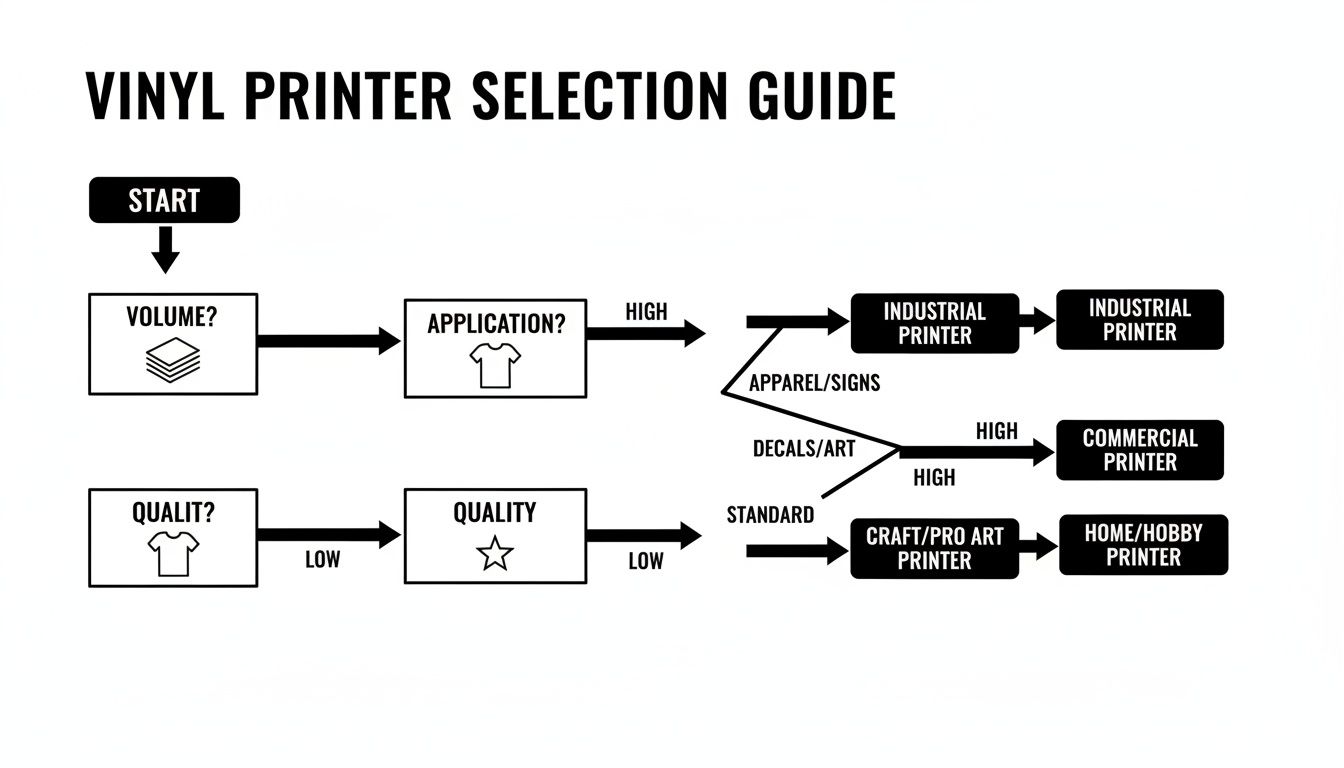
As you can see, what you plan to print is often the biggest factor. Are you wrapping vans that need to survive a British winter, or creating odour-free wall art for a café? Your answer will point you in the right direction.
The Workhorse: Eco-Solvent Printers
For countless sign shops, eco-solvent printers are the undisputed workhorse. There's a good reason for that. These machines use inks with a mild solvent that gently etches into the vinyl, creating a seriously strong chemical bond. The result? Prints that are incredibly durable and scratch-resistant, ready to take on whatever the weather throws at them.
Their real strength lies in producing vivid, long-lasting graphics for anything that lives outdoors.
- Vehicle Wraps: The ink's flexibility and toughness are perfect for stretching around curves without cracking.
- Outdoor Banners: Eco-solvent prints will happily stand up to rain and UV rays for years.
- Shopfront Graphics: They deliver the punchy, sharp colours you need to make a statement on the high street.
But here’s the trade-off. Eco-solvent inks release Volatile Organic Compounds (VOCs), which means they need to "outgas" for 24-48 hours before you can laminate or install them. This curing time eats into your schedule and requires a dedicated, well-ventilated space, which can be a real pain on a tight deadline.
The Speedy and Safe: Latex Printers
Latex printers are a fantastic alternative, especially if your business is all about indoor graphics or you need to turn jobs around at lightning speed. Instead of solvents, they use water-based inks filled with tiny latex polymers. A built-in heater evaporates the water during printing, which fuses the polymers and instantly cures the ink right on the surface.
That instant-dry process is a game-changer for workflow. Prints roll off the machine bone dry and ready for immediate lamination. No outgassing, no waiting. Since the inks are water-based and odourless, they’re the perfect choice for sensitive environments like hospitals, schools, and restaurants.
Latex is the king of high-quality indoor graphics. Think stunning wall murals, retail displays, and exhibition panels. The ability to print, finish, and deliver an odour-free product on the same day is a massive plus.
The main point to remember is that the ink sits on top of the vinyl, rather than bonding with it. While modern latex inks are incredibly tough, some old-school printers will argue they don't quite match the raw scratch resistance of a solvent print for really hardcore applications, like a vehicle wrap on a construction van.
The Jack-of-All-Trades: UV Printers
UV printers take a completely different approach. These machines use inks that are cured—or hardened—in a flash by high-intensity ultraviolet (UV) light. The ink doesn't soak in at all; it forms a thin, hard layer right on the surface. And that’s what makes UV printers so unbelievably versatile.
The standout feature here is the ability to print directly onto a huge range of materials, both flexible rolls and rigid sheets. While eco-solvent and latex are mostly roll-to-roll, many UV printers are flatbeds or hybrids, opening up a whole new world of products you can offer.
With a UV printer, you can print directly onto:
- Rigid Boards: Foamex, acrylic, wood, even metal.
- Speciality Vinyls: Reflective and textured finishes.
- Promotional Items: Think phone cases, golf balls, and custom awards.
This versatility lets you move way beyond traditional signage. The prints are also super durable and fade-resistant. The catch? UV printers usually come with a higher price tag, and because the ink sits on the surface, it can feel slightly raised. That makes it less ideal for things that need to be super flexible, like complex vehicle wraps where eco-solvent or latex would be a better fit.
Printer Technology Head-to-Head Comparison
To make things a little clearer, here’s a quick table breaking down the key differences between these technologies. It's a simple way to see which one aligns best with the kind of work you want to do.
| Technology | Best For | Key Advantage | Main Limitation |
|---|---|---|---|
| Eco-Solvent | Outdoor signage, vehicle wraps | Excellent durability and vibrant colours at a good price. | Requires a 24-48 hour outgassing period, slowing workflow. |
| Latex | Indoor graphics, fast turnaround | Prints are instantly dry, odourless, and eco-friendlier. | Ink durability might be slightly less for high-abrasion uses. |
| UV (Ultraviolet) | Rigid substrates, speciality items | Unmatched media versatility, prints on almost anything. | Higher initial cost and less ideal for highly flexible applications. |
At the end of the day, picking the right printer is all about matching its capabilities to the products you want to sell. By understanding these core differences, you can choose a machine that not only handles what you need today but also gives you room to grow tomorrow.
Matching Inks and Media for Perfect Prints
Picking out the right printer is a massive first step, but the machine itself is only half the story. The real artistry in vinyl printing comes from creating the perfect partnership between your ink and your chosen media.
This relationship is everything. It dictates the vibrancy of your colours, how your graphics feel, and most importantly, how long the final product will last out in the wild.
Get this pairing wrong, and you're heading for costly failures like peeling graphics, faded colours, and unhappy clients. But when you get it right, you'll consistently produce professional-grade work that stands the test of time.
The Connection Between Ink and Vinyl
Different inks are formulated to work with vinyl surfaces in specific ways. It’s a bit like cooking; you wouldn't use olive oil where you need butter. The chemistry has to be right.
Take aggressive solvent inks, for example. They don't just sit on top of the vinyl; they chemically etch into the surface, creating an incredibly strong bond. This is exactly why they're the top choice for long-term outdoor applications where durability is non-negotiable.
UV-curable inks are a different beast entirely. They are cured instantly by UV light, forming a hard, durable layer on the media's surface. While this allows them to stick to a massive range of materials, the ink layer itself is less flexible than a solvent print, making it a poor choice for complex vehicle wraps.
Your ink choice is fundamentally a performance choice. It directly influences the final product's durability, flexibility, and overall appearance. Always start by considering the end use of the print before you even think about loading media into your printer.
Decoding Different Vinyl Types
Just as inks vary, so does the vinyl itself. The material you choose has a huge impact on both cost and performance. Self-adhesive vinyls generally fall into three main categories, each suited for different jobs.
- Monomeric Vinyl: This is your budget-friendly, entry-level option. It's perfect for short-term, flat-surface applications like promotional stickers or temporary indoor signs. It does tend to shrink over time, so it's not the right call for jobs that need to look pristine for years.
- Polymeric Vinyl: A big step up in quality and durability. Polymeric vinyl is more stable and has a much longer lifespan, typically 5-7 years. It's the go-to material for general signage, flat-sided vehicle graphics, and durable outdoor displays, offering a great balance of performance and price.
- Cast Vinyl: This is the premium choice, engineered for the most demanding jobs. Cast vinyl is incredibly flexible, making it the only real option for complex vehicle wraps with deep recesses and curves. It has the longest outdoor lifespan, often 8-10 years, and offers the best dimensional stability.
Beyond these, you'll find countless speciality vinyls, including heat transfer vinyl for textiles. A great resource for this is a guide on understanding heat transfer vinyl (HTV), which breaks down how it works for fabric applications.
Creating Winning Combinations
Now, let's put it all together. The goal is to match the ink and media to the specific application, creating a product that performs perfectly without being over-engineered.
A classic mistake is using expensive cast vinyl for a short-term promotional banner that will be thrown away in a week. You've just wasted money on performance that was never needed. On the flip side, using cheap monomeric vinyl for a vehicle wrap is a recipe for disaster; it will fail, shrink, and peel, damaging your reputation.
Here are a few practical scenarios to illustrate:
- Job: A complex, full-colour van wrap for a local plumber.
- Best Combination: Eco-solvent ink on high-quality cast vinyl. The solvent provides the durability needed for a commercial vehicle, while the cast vinyl will conform perfectly to the van's curves without lifting or cracking.
- Job: A set of indoor wall graphics for a hospital waiting room.
- Best Combination: Latex ink on high-quality polymeric vinyl with a matte laminate. The latex ink is odourless and certified for sensitive environments, while the polymeric vinyl is stable and long-lasting for an indoor setting.
- Job: 500 promotional stickers for a one-day music festival.
- Best Combination: Eco-solvent or UV ink on monomeric vinyl. The application is short-term, so the affordability of monomeric vinyl makes perfect sense, keeping costs down while delivering vibrant prints.
For businesses just starting out, or those needing a reliable partner for bigger jobs, exploring professional vinyl banner printing in the UK can provide access to these perfect combinations without the huge initial investment. Learning to make these smart choices on every job is what separates amateurs from professionals.
Balancing Speed, Quality, and Cost
In the world of vinyl printing, every single job is a constant balancing act between three things: how fast it gets done, how good it looks, and what it costs. Getting this right is what separates the pros from the newcomers and ultimately determines whether your print business thrives.
It's a real-world framework you have to use every day to make smart decisions that protect your margins and keep clients happy.
Lots of people starting out get tunnel vision. They might chase the absolute highest print quality for a job that really doesn’t need it, burning through expensive ink and valuable machine time. Or, they’ll rush a job to hit a tight deadline, only to deliver something that looks second-rate and hurts their reputation.
The trick is to see these three factors not as fixed points, but as dials you can turn up or down for each specific project. Learning to tweak them is what allows you to meet expectations, hit deadlines, and run a profitable shop.
Why Maximum DPI Is Not Always the Answer
One of the first specs people obsess over is print resolution, measured in DPI (dots per inch). It’s a common trap to think that more DPI always means a better print, but that’s a costly myth. The right resolution depends entirely on one thing: the viewing distance of the finished product.
If you're printing a small, detailed decal that someone will hold in their hand, then yes, a high resolution like 1440 DPI is crucial for capturing those fine details. But for a massive banner destined for the side of a building or hoarding around a construction site? That level of detail is complete overkill.
Think about it this way: a billboard on the M1 is viewed from hundreds of feet away by people travelling at 70 mph. Printing it with photorealistic detail is a massive waste of ink and time. A much lower resolution, say 300 DPI, will look just as sharp from that distance and print a whole lot faster.
Don't just chase the highest number on the spec sheet. Always ask yourself, "From how far away will someone be seeing this?" That simple question will guide you to the perfect quality setting, saving you time and resources.
Connecting Print Speed to Your Bottom Line
Now, let's talk speed, which is usually measured in square metres per hour (sqm/hr). This isn't just about how quickly a machine churns out vinyl; it's directly linked to your shop's capacity and profitability. A faster printer means you can take on more jobs, including those last-minute rush orders that often come with a nice premium attached.
Here’s a practical example:
- Printer A runs at 10 sqm/hr. A 50 square metre banner job will tie it up for 5 hours.
- Printer B runs at 25 sqm/hr. It will finish the same job in just 2 hours.
That three-hour difference is huge. It means Printer B could complete two and a half of these jobs in the time it takes Printer A to finish just one. That's more revenue in a single workday and gives you the flexibility to say "yes" to those urgent, high-value projects. Speed gives your business agility.
Beyond the Sticker Price: The Total Cost of Ownership
Finally, you have to look past the initial price tag of the printer. The real cost of any machine is its Total Cost of Ownership (TCO), which includes every ongoing expense needed to keep it running day in and day out.
This is where the hidden costs bite you. That cheaper printer might seem like a bargain upfront, but if it drinks expensive ink or needs constant, costly repairs, it could easily become the most expensive machine you own.
Your TCO is made up of several key factors:
- Ink Costs: This will be your single biggest ongoing expense. Know the cost per millilitre and the printer's typical ink usage in its various print modes.
- Media Costs: The price of the vinyl, laminate, and other substrates you use every day adds up.
- Maintenance and Parts: Print heads, dampers, and wipers are consumable parts. You need to know how much they cost and how often they need replacing.
- Labour: How much time does your team spend operating the machine, performing daily maintenance, and dealing with issues?
By looking at all these factors together, you can make a properly informed decision that benefits your business not just today, but for years to come.
Mastering Your Workflow and Maintenance
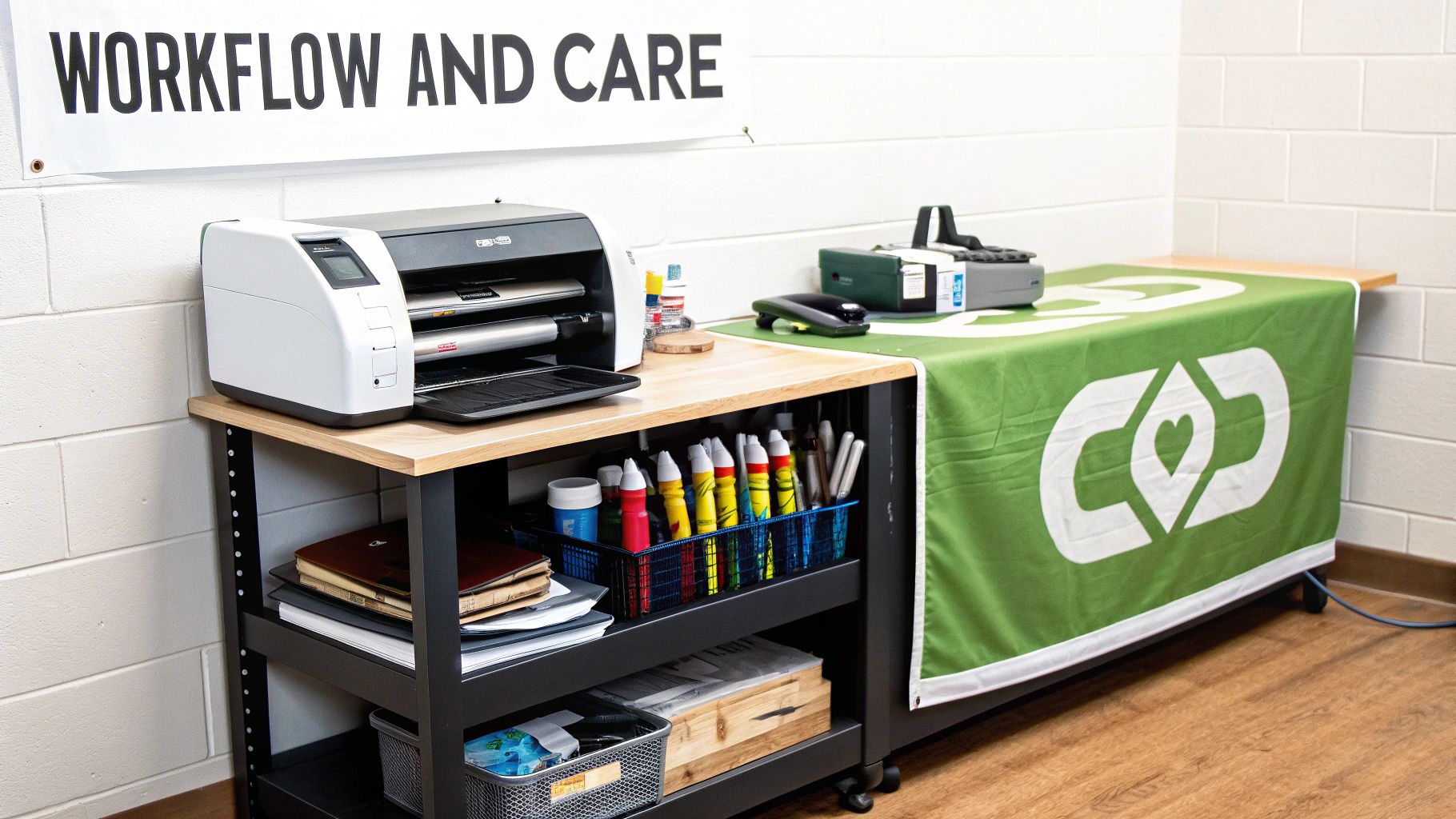
Even the most incredible printer for vinyl is just one piece of a much larger puzzle. To get that machine humming and turning out profitable work, you need to build an efficient system around it. This is about more than just hitting 'print'—it's about managing your digital files correctly, finishing your jobs professionally, and sticking to a dead-simple maintenance schedule.
Trust me, ignoring these areas is a fast track to headaches. A messy workflow leads to expensive mistakes and wasted vinyl, while skipping maintenance is the quickest way to find yourself with unexpected downtime and a hefty repair bill.
The Brains of the Operation: RIP Software
Your printer doesn't just magically transform a digital file into a perfect physical print. It needs a translator, and that translator is your RIP (Raster Image Processor) software. You can think of it as the control centre for your entire printing operation. It takes your complex design files and converts them into a language the printer can understand and execute flawlessly.
A good RIP does so much more than just send the job to the machine; it’s where you control quality and cost. For instance, a powerful RIP lets you nail colour profiles, ensuring a client’s specific brand colour looks identical on every single print. It also optimises how much ink is used, stopping the printer from laying down more than necessary, which can save you a surprising amount of money over time.
Many entry-level printers for vinyl come with basic RIP software. It'll get the job done, but upgrading to a professional-grade RIP is often one of the smartest investments you can make. It unlocks far better control over colour, nesting (arranging jobs to minimise wasted media), and workflow automation.
From Raw Print to Finished Product
Once that sheet of vinyl rolls off the printer, the job is far from over. The finishing process is what turns a raw print into something professional and sellable. This is where you add durability and function, transforming a simple graphic into a robust sign, a set of decals, or a long-lasting vehicle wrap.
The exact finishing steps depend on the final product, but they are all critical for delivering quality work.
- Laminating: This means applying a clear protective film over the print. It's a must for outdoor graphics and vehicle wraps, as it shields the ink from UV rays, scratches, and general wear and tear, dramatically extending its life.
- Trimming and Cutting: This is all about precision—cutting the finished print to its final size. For stickers and decals, you'll use a vinyl plotter with contour cutting capabilities to create custom shapes that follow your design perfectly.
- Application: This could be anything from mounting the vinyl onto a rigid board (like Foamex or aluminium composite) to applying it to a vehicle, or even adding grommets and hems to a banner so it can be hung securely.
Every one of these steps requires skill and the right tools. Trying to cut corners on finishing can completely ruin an otherwise perfect print.
A Simple Maintenance Schedule Is Your Best Friend
Finally, let's talk about looking after your machine. A large format printer is a complex piece of kit, and just like a car, it needs regular TLC to perform at its peak. A simple, consistent maintenance routine is your best defence against poor print quality and sudden breakdowns.
The good news is that most of the essential tasks are quick and easy. We're talking minutes a day.
Daily Tasks (5-10 Minutes):
- Nozzle Check: Run a quick print test. This ensures all the print head nozzles are firing cleanly and you won't get any banding in your prints.
- Manual Clean: If the nozzle check shows gaps, perform a light manual clean of the print heads and wiper blade, following your manufacturer's guide.
Weekly Tasks (15-20 Minutes):
- Full Clean: Give the machine a more thorough clean. This includes the capping station, wiper, and the area around the print head carriage where ink mist can build up.
- Calibration: Check and adjust the printer’s calibration for bi-directional printing. This prevents prints from looking blurry or misaligned.
Sticking to a schedule like this will keep your printer for vinyl running like a dream, cut down on ink wasted on failed prints, and help you avoid that dreaded call to a service engineer. It’s a tiny investment of time that pays for itself over and over again in pure reliability.
When to Outsource Your Vinyl Printing
Let's be honest: buying a professional vinyl printer is a massive commitment. You're not just looking at a five-figure price tag. You also need to find the floor space, factor in time for training, and budget for the endless cycle of maintenance and supplies. For a lot of businesses, especially those whose printing needs come and go, buying your own machine just doesn't add up.
This is where partnering with a specialist print provider comes in. It gives you immediate access to the best kit and years of expertise, all without the crippling overheads. It’s the smart play in a few very common situations.
Knowing When to Make the Call
Think about outsourcing if your demand is all over the place. If you only need a few banners for a couple of events each year, that expensive printer is just going to sit there gathering dust and losing value. A marketing agency that needs a huge set of graphics for a one-off product launch is a classic example – outsourcing is a no-brainer.
Another big trigger is when a job is too big or too specialised. Maybe you've landed a project that needs a print wider than your 64-inch machine can handle, or it calls for a niche material you're just not set up for.
Outsourcing isn't giving up; it's a strategic move to protect your cash flow while getting access to specialist gear on demand. It means you can say "yes" to any client, no matter how big or weird the request, without taking on the financial headache of owning every machine under the sun.
For many small businesses, it's also the perfect way to dip a toe in the water. Before you go all-in on a full setup for a new product line, why not outsource the first few production runs of decals? It lets you see if people actually want to buy them without the risk.
And when you're up against it with an urgent or massive project, finding a trusted service for vinyl banner printing near you is a lifesaver. It’s the fastest way to hit a tight deadline without cutting corners on quality.
Your Vinyl Printer Questions, Answered
Jumping into the world of vinyl printing is a big commitment, so it’s completely normal to have a few questions before you take the plunge. We’ve been there. Here are some straight-talking answers to the most common queries we get about the practical side of owning and running a large format printer.
How Long Will a Commercial Vinyl Printer Actually Last?
If you buy from a reputable brand and look after it, you can expect a solid 5 to 7 years of service from a commercial vinyl printer. Of course, that’s not a guarantee. The real lifespan depends heavily on how much you use it, the quality of your inks and media, and—most importantly—how seriously you take your maintenance schedule.
Think of it like a car. If you service it regularly and replace wearable parts like print heads and dampers when needed, you’ll keep it running smoothly for much longer. It’s all about protecting your investment.
How Much Space Do I Realistically Need for a Vinyl Printer Setup?
Forget just the printer's footprint; you need room to breathe and work. For a standard 64-inch printer, you’ll want a room that’s at least 3 metres wide. This gives you enough space to load heavy media rolls and move around the machine without bumping into things.
But that's just for the printer. You also need space for your computer and RIP software station, shelves for storing vinyl rolls, and a decent-sized table for finishing jobs like trimming and laminating. As a starting point, a space of 15-20 square metres is a sensible minimum for a small, efficient setup.
Don’t forget about workflow. You need clear paths to carry large rolls of vinyl and move finished graphics without tripping or causing damage. A cramped workspace is a recipe for costly mistakes and frustration.
Am I Stuck Just Printing on Vinyl?
Not at all, but it really boils down to the technology you choose. UV printers are the jack-of-all-trades. They're incredibly versatile and can print directly onto almost anything, rigid or flexible—think acrylic, wood, metal, and PVC foam board.
Eco-solvent and latex printers are happiest when working with roll-to-roll media. While vinyl is their bread and butter, they are perfectly capable of printing on other materials like paper, canvas, backlit film, and even some textiles.
Ready to bring your designs to life without the overhead of buying a machine? Banner Printing Ltd provides high-quality, custom vinyl printing with fast, free UK delivery. From vibrant banners to durable signage, we handle the production so you can focus on your business. Explore your options at https://bannerprintingltd.co.uk.


